
WYSIWYG 2025:
DMX Control for Ambient Light
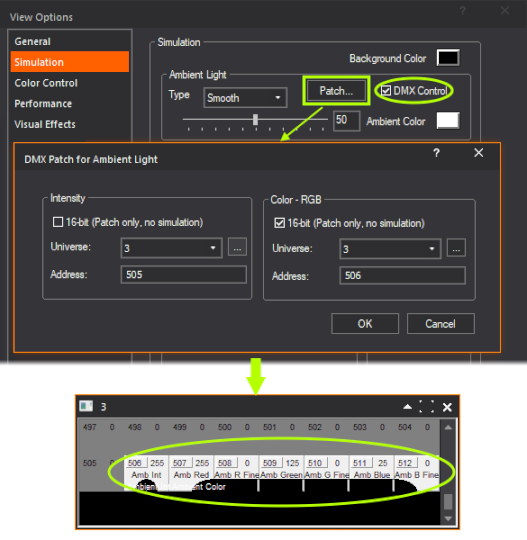
Patch Ambient Light to DMX and control its intensity and colour from the connected console (in LIVE mode) the same as you might control Light Emission, for example; access the Shaded View’s View Options > Simulation tab and click the Patch… button in the Ambient Light container to do so. Once patched, enable DMX control by ticking the DMX Control checkbox, and watch Ambient Light react to changes from the console. For more information, please consult the WYSIWYG 2025 Update 4 Release Notes.